How Large Language Models are Redefining App Store Optimization
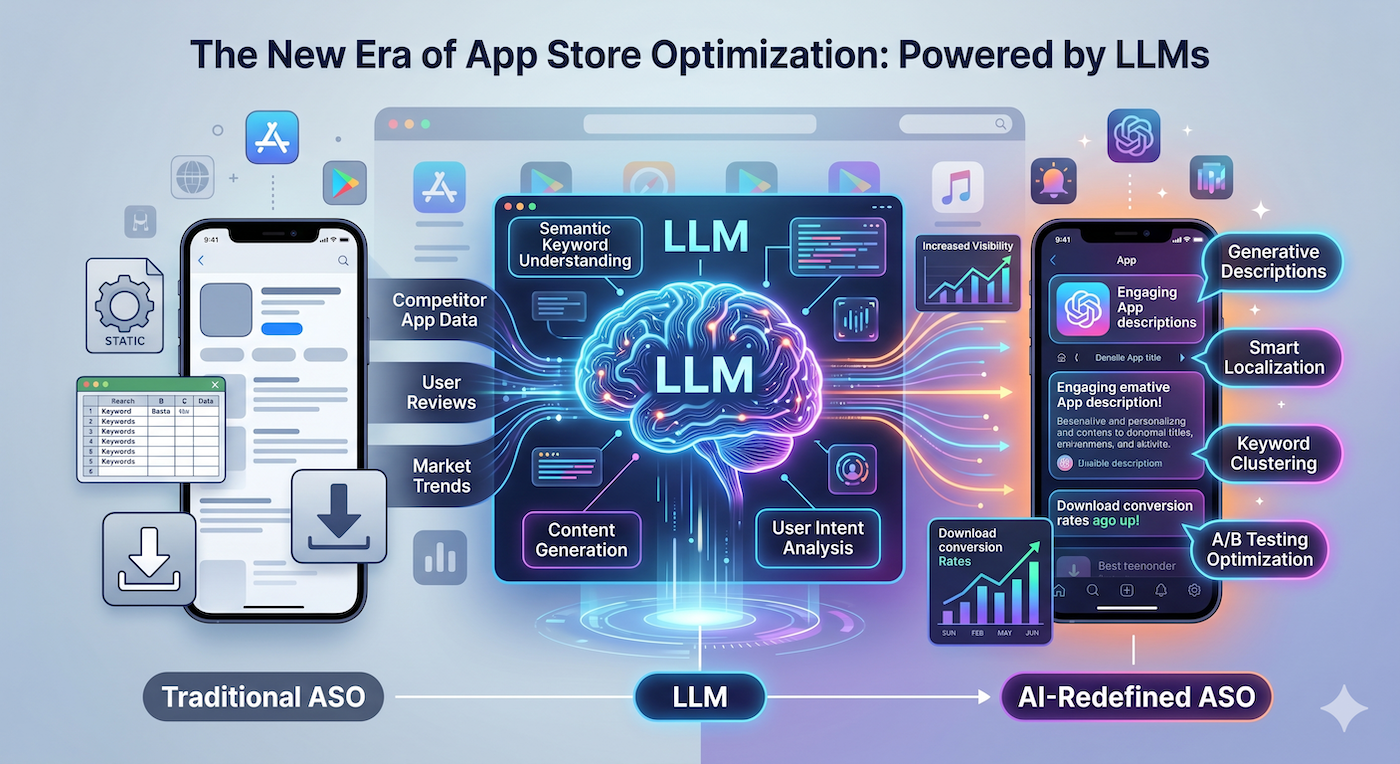
Large language models are giving ASO a fresh boost—automating keyword research, crafting localized copy, and even generating app screenshots on the fly.
Introduction
App Store Optimization (ASO) has long been the silent engine behind mobile growth. While developers obsess over code quality and UI polish, the real battle for visibility happens in the storefront’s search and recommendation algorithms. In the past year, large language models (LLMs) such as GPT‑4, Claude, and LLaMA have begun to surface as powerful allies in that battle, offering new discovery opportunities that go far beyond traditional keyword tools.
This article unpacks how LLMs are reshaping ASO, what concrete tactics indie hackers can adopt today, and why integrating an AI‑first platform like ScreenMint can turn those tactics into a repeatable growth engine.
1. The ASO Landscape Before LLMs
| Traditional ASO Tasks | Typical Tools & Limitations |
|---|---|
| Keyword research | Manual spreadsheets, Ahrefs, Sensor Tower – often limited to English, require manual volume checks |
| Copywriting | Human writers or generic templates – scaling localization is costly |
| Screenshot creation | Design tools (Sketch, Figma) – time‑intensive, no data‑driven iteration |
| A/B testing | Limited to a handful of variants due to store submission friction |
The core problem was scale. Small teams could only iterate on a few keywords, a single set of screenshots, and a handful of localized descriptions. Anything beyond that quickly became a resource drain.
2. What LLMs Bring to the Table
2.1. Hyper‑Granular Keyword Mining
LLMs excel at contextual understanding. By feeding an LLM a product description, user reviews, and competitor metadata, you can generate a list of long‑tail keywords that traditional tools miss. For example:
Prompt: "Generate 30 high‑intent keywords for a meditation app targeting beginners in Brazil, Spain, and the US. Include search volume hints and possible synonyms."
The model returns region‑specific terms like "meditação guiada" (Brazil) or "mindfulness para principiantes" (Spain) alongside English equivalents, all in one pass.
2.2. Automated, Localized Copywriting
LLMs can produce store‑ready copy in dozens of languages while preserving brand voice. By defining a tone guide (e.g., friendly, concise) and providing a few seed sentences, the model can spin out:
- Short description (80‑character limit)
- Long description (4,000‑character limit)
- Feature list bullets
Because the output is generated on demand, you can quickly test variations for A/B testing without hiring a multilingual copy team.
2.3. AI‑Generated Screenshots & Mockups
One of the most exciting breakthroughs is using LLM‑driven image models (e.g., DALL‑E, Stable Diffusion) to create contextual screenshots that match the copy. By prompting the model with a feature description and a device frame, you get a ready‑to‑publish image that reflects the exact UI state you want to highlight.
Practical tip: Pair the generated image with a layout engine that adds device frames, overlay text, and branding automatically. This is exactly what ScreenMint does for its users.
2.4. Dynamic Metadata Refresh
Search algorithms evolve, and so should your metadata. An LLM can be scheduled to re‑evaluate keyword relevance weekly, suggest replacements, and even rewrite descriptions to align with emerging trends (e.g., new privacy regulations, seasonal events).
3. Building an LLM‑Powered ASO Workflow
Below is a step‑by‑step workflow that can be implemented with minimal code:
- Data Ingestion – Pull current app metadata, top‑ranking competitor descriptions, and recent user reviews via the App Store Connect and Google Play APIs.
- Prompt Engineering – Create reusable prompts for keyword extraction, copy generation, and screenshot description.
- LLM Invocation – Use an API (OpenAI, Anthropic, etc.) to generate outputs. Cache results to avoid rate‑limit issues.
- Human Review Loop – Flag any low‑confidence suggestions for manual approval. This keeps brand integrity intact.
- Asset Automation – Feed screenshot prompts into an image generation model, then run the results through a template engine that adds device frames and branding.
- Publish – Push the new metadata and assets back to the stores via the respective publishing APIs.
Comparison Table: Manual vs. LLM‑Assisted ASO
| Aspect | Manual Process | LLM‑Assisted Process |
|---|---|---|
| Keyword breadth | 50‑100 keywords, English‑centric | 200‑500 keywords, multilingual, context‑aware |
| Copy creation time | 2‑4 hrs per locale | <15 min per locale (auto‑generated) |
| Screenshot design | 1‑2 days per variant | <30 seconds per variant (AI image + template) |
| Update frequency | Quarterly | Weekly or daily (automated) |
| Required resources | Designer + copywriter + analyst | One dev (API integration) + occasional reviewer |
4. Real‑World Applications for Indie Hackers
4.1. Rapid Market Validation
When testing a new app idea, you can spin up a store listing in minutes using LLM‑generated copy and screenshots. Publish the draft to a limited audience (e.g., TestFlight) and gauge conversion rates. The speed of iteration dramatically reduces the time to product‑market fit.
4.2. Seasonal Campaigns
Holiday or event‑driven spikes are common. An LLM can rewrite your description to include seasonal keywords (“gift ideas for gamers”, “summer fitness tracker”) and generate themed screenshots, all within a single script.
4.3. International Expansion
Going global often stalls at translation costs. With LLMs you can generate localized metadata for 20+ languages overnight, then run a quick A/B test on a subset of markets before a full rollout.
5. Where ScreenMint Fits In
ScreenMint was built to make the LLM‑ASO loop frictionless:
- Metadata Engine – Stores prompts and versioned outputs, allowing you to track which keyword sets drove the best install lift.
- Screenshot Generator – Integrates directly with image‑generation models, applying device frames and brand overlays automatically.
- One‑Click Publishing – Syncs with App Store Connect and Google Play, pushing updated assets without manual uploads.
By centralizing these steps, ScreenMint lets indie developers focus on product improvements while the AI handles discovery.
6. Potential Pitfalls & How to Mitigate Them
| Pitfall | Mitigation |
|---|---|
| Hallucinated keywords (irrelevant terms) | Use confidence thresholds; cross‑check with a keyword volume API |
| Brand tone drift | Keep a style guide and feed it into every prompt; run a final human QA |
| Image copyright concerns | Use licensed image models or ensure generated assets are for commercial use |
| Store policy violations | Test generated copy against Apple/Google guidelines before publishing |
Remember, LLMs amplify productivity but don’t replace strategic thinking.
FAQ
Q1: Do I need an enterprise‑grade LLM subscription to benefit from this? A: Not necessarily. Many providers offer pay‑as‑you‑go tiers that are sufficient for weekly ASO updates. Start small, monitor usage, and scale as ROI becomes clear.
Q2: How accurate are AI‑generated screenshots compared to designer‑crafted ones? A: For feature‑highlight screenshots, AI can match design quality when fed with clear prompts and a style template. Complex animations may still need a designer’s touch.
Q3: Can LLMs replace my SEO/ASO specialist? A: They can automate repetitive tasks, but strategic decisions—like choosing a growth funnel or interpreting competitor moves—still benefit from human insight.
Q4: Is there a risk of Apple or Google rejecting AI‑generated metadata? A: As long as the content complies with store guidelines (no misleading claims, appropriate language), automated assets are accepted. Always run a final compliance check.
Q5: How often should I refresh my ASO assets with LLMs? A: A good cadence is weekly keyword refresh and monthly copy/screenshot refresh. For fast‑moving categories (gaming, finance), consider bi‑weekly updates.
Bottom Line
Large language models are turning ASO from a periodic, labor‑intensive chore into a continuous, data‑driven engine. By automating keyword mining, localized copy, and even screenshot creation, indie hackers can iterate faster, test more variants, and capture discovery opportunities that were previously out of reach.
Integrating these capabilities into a unified platform—like ScreenMint—removes the friction of stitching together APIs, prompts, and publishing steps. The result is a sustainable growth loop where the AI does the heavy lifting and the founder focuses on building the next great app.
Practical Takeaways
- Start small: Use an LLM to generate a fresh set of long‑tail keywords and compare install lift against your baseline.
- Template your prompts: Consistent prompt structures produce repeatable, high‑quality output.
- Automate review: Build a quick confidence‑score filter to flag low‑certainty suggestions for manual check.
- Leverage ScreenMint: Plug the LLM outputs directly into ScreenMint’s metadata and screenshot pipelines for one‑click publishing.
- Measure, iterate, repeat: Track conversion metrics after each update and feed the results back into your prompts for continuous improvement.