Inside Claude Code: Scaling AI‑Assisted Development for Large Codebases
Claude Code can read, edit, and generate code across millions of lines. Learn the mechanics, practical workflows, and proven tactics to make AI a reliable teammate in large projects.
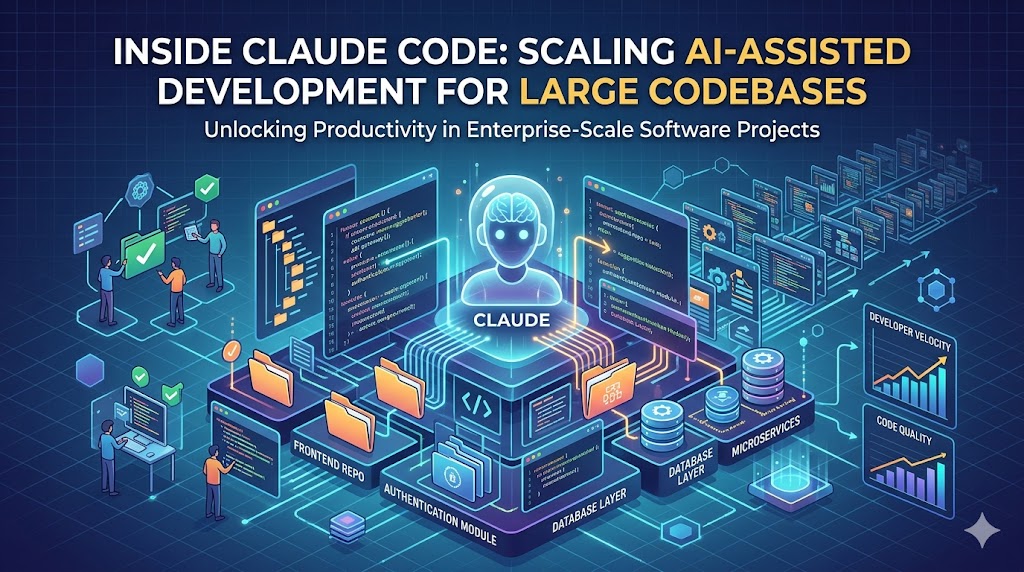
Why Claude Code Matters for Big Projects
When you’re dealing with a codebase that stretches into millions of lines—think legacy monoliths, micro‑service suites, or rapidly iterating startup stacks—human code reviews become a bottleneck. Claude Code, Anthropic’s LLM tuned for programming, promises to read, refactor, and generate code while respecting the surrounding context. For developers, the value proposition is simple: reduce the mental overhead of hunting for the right file, understanding inter‑module contracts, and crafting boilerplate.
But the promise only holds if you understand how Claude manages context and how to structure prompts so the model stays within its token limits while still delivering accurate suggestions.
The Mechanics: Context Windows and Chunking
Claude’s underlying model operates with a context window—the amount of text it can consider at once. For Claude 3, that window sits at roughly 100k tokens (≈75k words). In a typical large codebase, a single repository can exceed that by an order of magnitude.
How Claude Code Works Under the Hood
| Step | What Happens | Why It Matters |
|---|---|---|
| 1. File Indexing | A preprocessing service scans the repo, builds a searchable index of symbols, imports, and docstrings. | Enables fast retrieval of the most relevant snippets without loading the whole tree. |
| 2. Query‑Driven Retrieval | When you ask Claude to modify UserService.authenticate, the system constructs a retrieval query based on the request and pulls the top‑N relevant chunks (usually 2‑5 files). | Keeps the prompt under the token limit while preserving semantic relevance. |
| 3. Prompt Assembly | The retrieved chunks are stitched with a system prompt that defines Claude’s role (e.g., “You are an expert Go developer…”) and a user prompt containing the actual request. | Clear role definition reduces hallucinations; chunk ordering influences the model’s focus. |
| 4. Generation & Validation | Claude returns edited code. Post‑generation tools run static analysis, unit tests, and optionally a diff guard that flags unexpected changes. | Guarantees that the AI output respects existing contracts and does not introduce regressions. |
| 5. Auto‑Publish (optional) | With services like ScreenMint, the generated assets can be auto‑published to App Store/Play console, closing the loop for mobile teams. | Demonstrates end‑to‑end automation beyond code generation. |
Chunk Size Best Practices
- Keep chunks under 2k tokens – this leaves room for the system and user prompts while staying well within Claude’s limit.
- Prefer whole files over arbitrary line ranges – Claude maintains internal parsing state better when it sees complete syntactic units.
- Prioritize files with high coupling – use the index to surface files that import or are imported by the target module.
Prompt Engineering for Large Repos
A well‑crafted prompt is the bridge between a vague request and a deterministic edit. Below are patterns that consistently produce reliable results.
1. The Context‑First Pattern
**System:** You are an expert Rust developer familiar with the `tokio` async runtime.
**Context:** ```rust
// content of src/auth/mod.rs (truncated to 1,800 tokens)
...
User: Refactor login_handler to use Result<Option<User>, AuthError> and add comprehensive error logging.
*Why it works:* The model sees the exact file first, then the instruction, reducing the chance it drifts to unrelated symbols.

### 2. The *Goal‑Driven* Pattern

```markdown
**System:** Act as a senior Flutter engineer.
**Goal:** Reduce the widget rebuild count in `HomeScreen` by 30%.
**Relevant Files:**
- lib/screens/home.dart (1,200 tokens)
- lib/widgets/summary_card.dart (800 tokens)
**User:** Suggest concrete code changes and explain the performance impact.
Why it works: Declaring a measurable goal focuses Claude on optimization rather than generic refactoring.
3. The Test‑First Pattern
**System:** You are a Python test‑driven development guru.
**Context:** ```python
# utils/crypto.py (1,100 tokens)
...
User: Write a new function verify_signature(payload: bytes, sig: str) -> bool and add a pytest that covers edge cases.
*Why it works:* By bundling test creation with code, you get immediate verification of correctness.

---

## Practical Workflow: From Zero to AI‑Assisted PR

1. **Set up a Claude‑Code integration** – use Anthropic’s API or a hosted solution that handles indexing.
2. **Create an index** – run the indexing script on your repo. For CI pipelines, store the index as an artifact.
3. **Define a prompt template** – store the patterns above in a reusable file (e.g., `prompt_templates.yaml`).
4. **Run a pilot** – pick a low‑risk module, generate a diff, and run the full test suite.
5. **Automate validation** – hook the diff guard into your CI; only merge if no new lint errors appear.
6. **Scale gradually** – expand the set of modules per sprint, track acceptance rate, and adjust chunk size as needed.

### Where ScreenMint Fits In

If your product includes a mobile front‑end, you can feed Claude‑generated UI code directly into ScreenMint’s screenshot generator. The workflow becomes:

1. Claude updates a Flutter widget.
2. ScreenMint renders the new screens, captures device‑specific screenshots, and updates ASO metadata.
3. The assets are auto‑published to the App Store and Google Play.

This tight loop eliminates manual UI QA and accelerates time‑to‑market for feature releases.

---

## Common Pitfalls & How to Avoid Them

| Pitfall | Symptom | Fix |
|----------|----------|-----|
| **Context overflow** | Claude returns incomplete code or truncates imports. | Reduce chunk count, increase retrieval relevance, or split large files into logical sub‑modules before indexing. |
| **Hallucinated APIs** | New function calls to non‑existent libraries appear. | Reinforce the system prompt with “Only use APIs present in the provided context.” Add a post‑generation lint step that flags unknown symbols. |
| **Stale index** | Changes in the repo aren’t reflected in Claude’s suggestions. | Re‑run the index on every merge to `main` or schedule nightly rebuilds. |
| **Over‑reliance on AI** | Teams accept suggestions without review, leading to subtle bugs. | Enforce a mandatory code‑review checklist that includes “Run unit tests” and “Check diff guard report.” |

---

## FAQ

**Q1: How large a repository can Claude Code handle?**
Claude’s context window is fixed, but the retrieval layer lets it work with arbitrarily large repos. Performance depends on index freshness and chunk size; most teams see stable results with repos up to 10 M lines after proper chunking.

**Q2: Do I need to fine‑tune Claude for my language stack?**
Not for most cases. Claude 3 is already trained on a broad set of languages. Fine‑tuning only helps if you have highly domain‑specific DSLs or proprietary frameworks.

**Q3: What security considerations should I keep in mind?**
Never send secret keys or internal credentials in prompts. Use environment‑masked placeholders (`{{API_KEY}}`) and ensure the indexing service runs in a trusted VPC.

**Q4: Can Claude generate UI screenshots automatically?**
Claude can produce UI code, but rendering screenshots requires a separate tool. ScreenMint’s SaaS can ingest Claude‑generated Flutter/React‑Native components and output ready‑to‑publish screenshots.

**Q5: How do I measure the ROI of adding Claude to my workflow?**
Track metrics such as *time‑to‑review*, *number of bugs introduced per PR*, and *developer satisfaction*. Most early adopters report a 20‑30 % reduction in review time for routine refactors.

---

## Bottom Line

Claude Code is not a magic wand that instantly understands a 5‑million‑line monolith, but with a disciplined approach to **context management**, **prompt engineering**, and **automated validation**, it becomes a powerful ally. Start small, index aggressively, and let Claude handle the repetitive, well‑scoped edits while you focus on architectural decisions.

### Practical Takeaways
- **Index early and often** – a fresh index is the backbone of reliable retrieval.
- **Stick to 1–2 k token chunks** – keeps prompts within limits and improves output fidelity.
- **Use goal‑oriented prompts** – define measurable outcomes to guide Claude’s reasoning.
- **Add a diff guard** – static analysis post‑generation catches hallucinations before they merge.
- **Leverage ScreenMint** – couple Claude’s code updates with automated screenshot generation for a seamless mobile release pipeline.

By treating Claude as a *codified teammate* rather than a one‑off code generator, indie hackers and startup founders can scale their development velocity without sacrificing quality.