How to Climb to the Top of the Google Play Store: A Complete Developer Playbook
Discover a step‑by‑step strategy for dominating the Play Store, from keyword research and metadata optimization to UI testing and automated publishing.
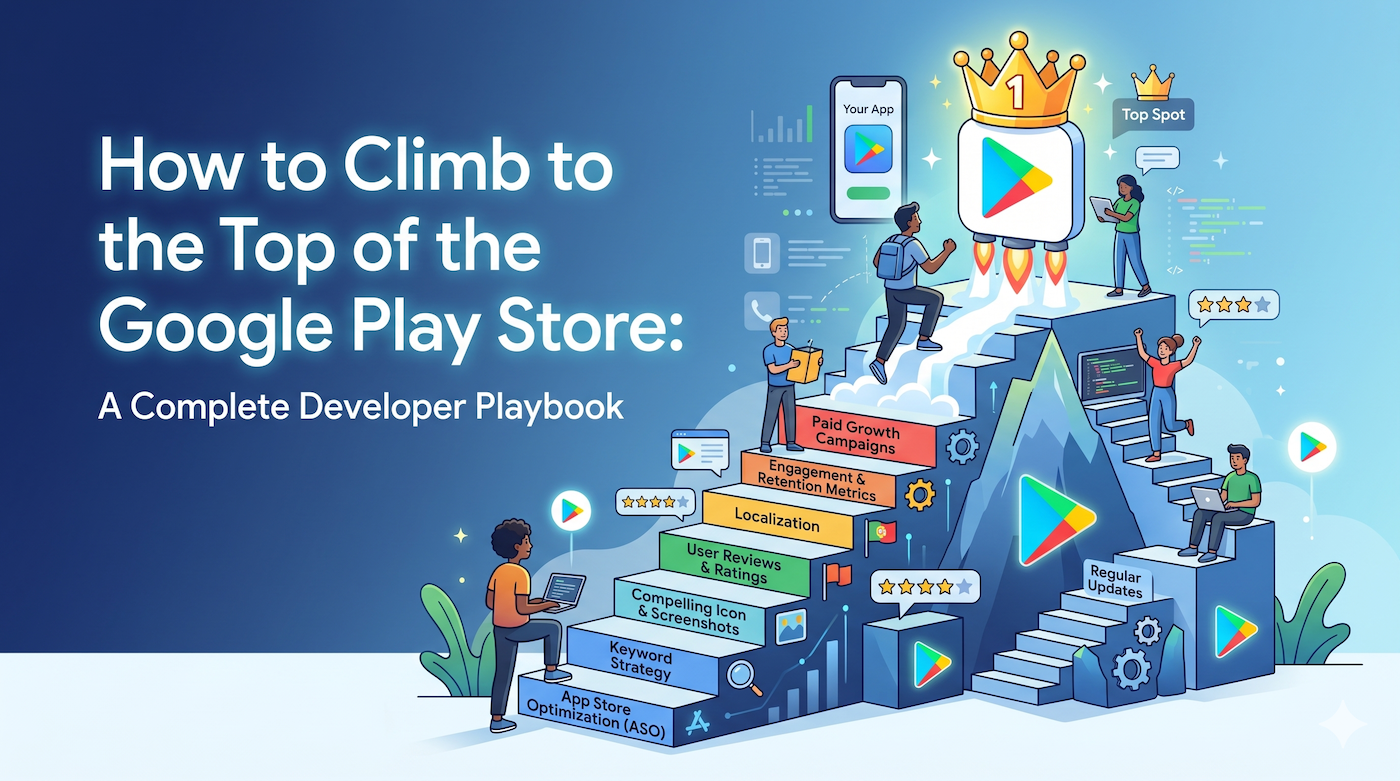
Introduction
The Google Play Store is the gateway to over 2.5 billion Android devices worldwide. Yet, getting noticed in a sea of millions of apps is a challenge that requires more than a polished UI— it demands a systematic approach to App Store Optimization (ASO), data‑driven testing, and smart automation. This guide breaks down the entire ranking workflow, giving indie hackers, startup founders, and mobile developers a repeatable playbook to climb the Play Store charts.
1. Understanding Play Store Ranking Signals
Google’s algorithm is a black‑box, but the community has identified several core signals that influence placement:
| Signal | What Google Looks For | Why It Matters |
|---|---|---|
| Keyword relevance | Title, short description, long description, and in‑app content | Aligns the app with user intent |
| Install volume & velocity | Number of installs over time, especially recent spikes | Indicates popularity |
| User engagement | Session length, retention, crash‑free rate | Reflects real‑world value |
| Ratings & reviews | Average rating, review sentiment, response rate | Social proof for new users |
| Technical quality | App size, load time, recent updates | Impacts user experience |
| Backlinks & mentions | External links, press coverage | Signals authority |
A balanced strategy targets each of these pillars rather than chasing a single metric.
2. Keyword Research – The Foundation of ASO
2.1 Start with a Seed List
- Brainstorm: Think about the core problem your app solves.
- Competitor scan: Pull titles and descriptions of the top 10 apps in your niche.
- User language: Scan forums, Reddit, and social media for the exact phrases users employ.
2.2 Tool‑Assisted Expansion
- Google Keyword Planner (via AdWords) for search volume.
- AppTweak, Sensor Tower, or Mobile Action for Play‑specific suggestions.
- ScreenMint’s AI keyword generator can synthesize a long‑tail list based on your app description, saving hours of manual work.
2.3 Prioritization Matrix
| Keyword | Avg. Monthly Searches | Competition | Relevance Score |
|---|---|---|---|
| example | 12,000 | High | 9 |
| example | 3,400 | Medium | 8 |
| example | 800 | Low | 7 |
Focus first on high‑relevance, medium‑competition terms—these give the best ROI.
3. Optimizing Metadata
3.1 App Title (30‑character limit)
- Place the primary keyword at the beginning while keeping the brand name readable.
- Example:
TaskMate – To‑Do List & Planner(primary keyword: To‑Do List).
3.2 Short Description (80‑character limit)
- Summarize the unique value proposition and embed 1‑2 secondary keywords.
- Keep it compelling: *"Organize tasks, set reminders, and boost productivity in seconds."
3.3 Long Description (4,000‑character limit)
- Use structured paragraphs with bullet points.
- Include primary keyword in the first 150 characters and sprinkle secondary keywords naturally.
- Add a call‑to‑action near the end.
3.4 Icon & Screenshots
- High‑contrast icon improves click‑through rate (CTR).
- Screenshots should show core features and incorporate overlay text that mirrors your keyword themes (e.g., "Track habits daily").
- ScreenMint can auto‑generate localized screenshots with AI‑driven mockups, ensuring each language version stays on‑brand.
4. Technical Excellence
- App Size – Aim for < 30 MB when possible; use Android App Bundles to deliver optimized splits.
- Performance – Target < 500 ms cold start and < 1 % crash rate.
- Play Feature Delivery – Use dynamic feature modules to keep the base APK lean.
- Regular Updates – Frequency signals activity; even a minor bug‑fix counts.
5. Review Management & Ratings
- Prompt at the right moment: after a positive interaction, not immediately on launch.
- Respond to every review within 24 hours—Google rewards active communication.
- Leverage in‑app surveys to capture negative feedback before it turns into a 1‑star rating.
6. User Acquisition & Install Velocity
- Google Ads (UAC): Run brand‑agnostic campaigns targeting your primary keywords to generate an early install surge.
- Cross‑promotion: If you have a portfolio, link to the new app from existing ones.
- Referral incentives: Offer in‑app rewards for users who bring friends.
7. A/B Testing on the Play Store
Google Play now offers Store Listing Experiments:
- Create two variants of title, icon, or screenshots.
- Run the experiment for 7‑14 days with a minimum of 1,000 daily impressions.
- Measure lift in CTR and conversion; apply the winning variant.
Automation tools (e.g., ScreenMint) can programmatically push new assets to the experiment, reducing manual overhead.
8. Localization – Going Global
- Translate metadata and screenshots into target languages.
- Adapt cultural references; a literal translation can hurt CTR.
- Use Google Play’s translation service as a baseline, then refine with native speakers.
- Localized screenshots increase conversion by up to 30 % in some markets (observed in independent case studies).
9. Leveraging Backlinks & PR
- Publish guest posts on tech blogs and include a Play Store link.
- Submit to product‑hunt, BetaList, and relevant sub‑reddits.
- Use press releases for major updates; Google sometimes surfaces apps with strong external signals.
10. Automation Workflow – From Build to Publish
| Step | Tool | What It Automates |
|---|---|---|
| Code commit | GitHub Actions | Build APK/AAB |
| Asset generation | ScreenMint | Screenshot mockups, localized captions |
| Metadata upload | Fastlane supply | Push title, description, screenshots |
| Release | Google Play Console API | Staged rollout |
| Monitoring | App Annie / Firebase | KPI alerts |
By chaining these tools, a single push can produce a fully‑optimized, localized, and published build without manual intervention.
FAQ
Q1: How often should I refresh my screenshots?
- Aim for at least quarterly updates or whenever you add a major feature. Fresh visuals boost CTR.
Q2: Does the app title affect ranking more than the description?
- Both matter, but the title carries the highest weight for keyword relevance. Use the description for supporting terms.
Q3: Can I rank without spending on ads?
- Yes, but an initial ad‑driven install surge can accelerate ranking. Organic growth is sustainable when combined with strong ASO.
Q4: How many languages should I localize for?
- Start with the top 3 markets by user base, then expand based on download analytics.
Q5: What’s the safest rollout percentage for a new version?
- Begin with 10‑20 % staged rollout, monitor crash‑free rates, then increase gradually.
Bottom Line
Ranking on the top of the Google Play Store is a blend of keyword precision, high‑quality assets, technical rigor, and continuous experimentation. By following the steps above—and leveraging automation platforms like ScreenMint for screenshot generation and metadata syncing—you can turn the Play Store from a distribution channel into a growth engine.
Practical Takeaways
- Build a keyword matrix and revisit it quarterly.
- Keep metadata lean, keyword‑rich, and user‑focused.
- Use store listing experiments to validate visual changes.
- Automate the build‑to‑publish pipeline to maintain velocity.
- Treat reviews as a customer‑service channel, not a nuisance.
Implement these practices, monitor the metrics, and watch your app climb the Play Store rankings.