Unleashing the Power of Dynamic Workflows in Claude Code
Dynamic workflows in Claude Code are set to transform how developers automate tasks, improving efficiency and flexibility. Discover their potential today.
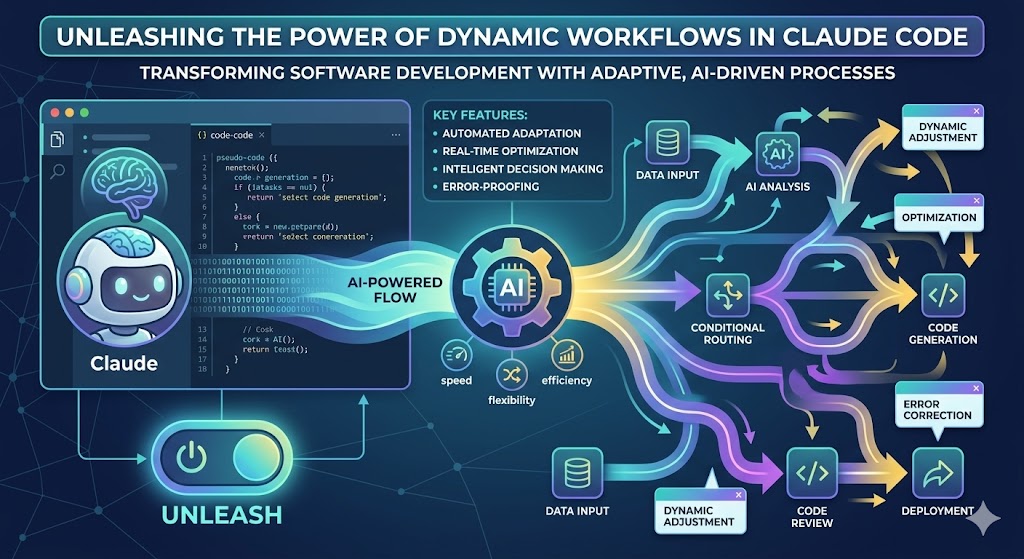
Introduction
The landscape of software development is continuously evolving, driven by the need for greater efficiency and innovation. One of the notable advancements in this arena is the introduction of dynamic workflows in Claude Code. This feature promises to streamline automation processes, offering developers enhanced flexibility and control over their workflows. In this article, we will explore what dynamic workflows entail, how they can be leveraged by indie hackers and startup founders, and the implications for the future of development.
What Are Dynamic Workflows?
Dynamic workflows are a system of automation that allows developers to create adaptable sequences of tasks that can change based on specific conditions or triggers. Unlike traditional workflows, which often remain static and predefined, dynamic workflows in Claude Code enable developers to:
- Adjust workflows in real-time based on user input or data changes.
- Incorporate conditional logic to decide the next steps in a process.
- Integrate seamlessly with various APIs and external tools.
These capabilities empower developers to design workflows that are responsive, efficient, and tailored to their specific needs.
Key Features of Dynamic Workflows in Claude Code
1. Real-Time Adaptability
Dynamic workflows can respond to changing conditions in real-time, meaning that as data is updated, the workflow can adjust accordingly. This feature is particularly useful for applications that require constant updates or user interaction.
2. Conditional Logic
Developers can implement complex decision-making processes within their workflows. This means that based on certain criteria, the workflow can execute different branches of tasks, creating a more robust and intelligent automation system.
3. Enhanced Integrations
Claude Code allows seamless integration with various third-party services and APIs. This feature enables developers to pull data from multiple sources, enriching the context in which their workflows operate.
4. User-Friendly Interface
The drag-and-drop interface simplifies the process of creating and managing dynamic workflows. Developers can visualize their processes, making it easier to identify bottlenecks and optimize their automation.
Benefits for Indie Hackers and Startup Founders
Dynamic workflows can significantly benefit indie hackers and startup founders in several ways:
- Increased Efficiency: Automating repetitive tasks allows developers to focus on more critical aspects of their projects, enhancing overall productivity.
- Rapid Prototyping: With the ability to quickly adjust workflows, developers can iterate on their ideas without the need for extensive coding each time.
- Scalability: As the business grows, workflows can be modified to handle increased complexity without a complete overhaul of existing systems.
- Cost-Effective Solutions: By reducing the need for manual intervention, dynamic workflows can lower operational costs.
Implementation Strategies
To fully harness the power of dynamic workflows in Claude Code, developers should consider the following strategies:
1. Start Small
Begin by automating simple tasks before gradually incorporating more complex workflows. This approach allows for a smoother learning curve and helps identify potential challenges early.
2. Leverage Community Resources
Engage with the Claude Code community to share experiences, tips, and best practices. Learning from others’ successes and failures can significantly shorten your development time.
3. Test and Iterate
Regularly test your workflows to ensure they are functioning optimally. Use feedback and performance metrics to refine processes continuously.
Comparison: Dynamic Workflows vs. Traditional Workflows
| Feature | Dynamic Workflows | Traditional Workflows |
|---|---|---|
| Adaptability | Real-time adjustments | Static, predefined steps |
| Conditional Logic | Yes | Limited or none |
| Integration Capabilities | High, with multiple APIs | Limited integration |
| User Interface | Intuitive drag-and-drop | Often complex and code-heavy |
| Scalability | Easily adjustable | Difficult to scale |
Conclusion
Dynamic workflows in Claude Code represent a significant leap forward for developers seeking to maximize their productivity through automation. By leveraging real-time adaptability, conditional logic, and enhanced integrations, indie hackers and startup founders can streamline their development processes and focus on what truly matters: building exceptional products.
The implementation of these workflows can lead to more efficient operations, cost savings, and ultimately, better outcomes for your projects. As the world of software development continues to evolve, embracing such innovative tools will be essential for staying ahead in the competitive landscape.
FAQ
Q1: What types of tasks can be automated using dynamic workflows?
A1: Dynamic workflows can automate a wide range of tasks, including data processing, user notifications, API calls, and more, depending on the specific needs of your project.
Q2: Do I need to be an expert developer to use dynamic workflows?
A2: No, Claude Code provides a user-friendly interface that simplifies the process. Even those with moderate coding experience can effectively create and manage dynamic workflows.
Q3: How do dynamic workflows enhance collaboration among team members?
A3: By providing a clear visual representation of processes, dynamic workflows make it easier for team members to understand and contribute to ongoing projects, fostering collaboration.
Q4: Can I integrate dynamic workflows with my existing tools?
A4: Yes, Claude Code supports integration with various third-party services and APIs, allowing you to create a cohesive workflow that fits your existing tech stack.
Q5: What is the learning curve for dynamic workflows in Claude Code?
A5: The learning curve is relatively gentle, particularly due to the intuitive interface. With some practice, most users can become proficient in a short time.