How Claude for Small Business Is Redefining AI Assistance for Indie Makers
Anthropic’s Claude for Small Business brings a stripped‑down, cost‑effective LLM to indie hackers, promising a privacy‑first, developer‑friendly AI assistant for everyday tasks.
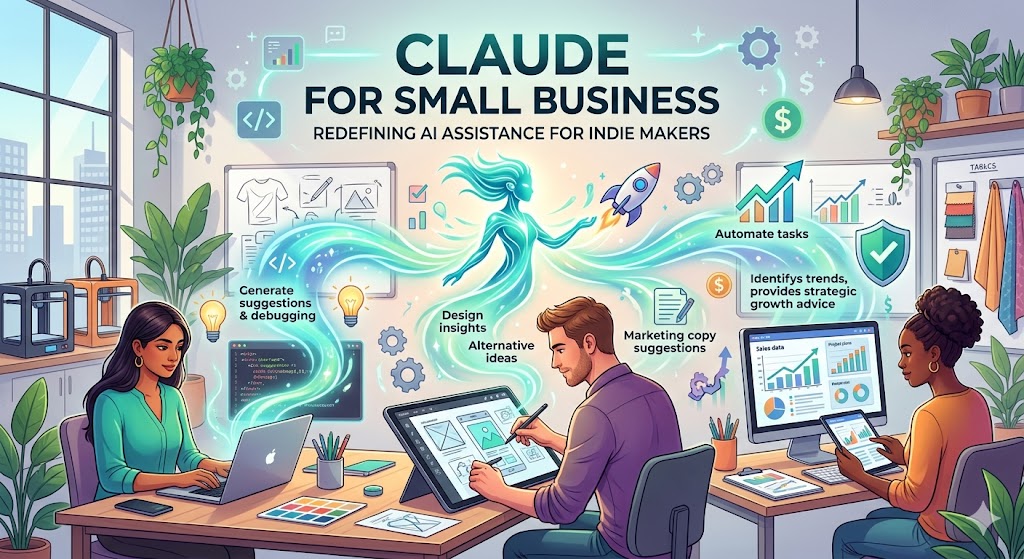
Introduction
Anthropic, the research lab behind the Claude family of language models, announced Claude for Small Business – a lightweight, privacy‑focused version of its flagship model targeted at indie hackers, startup founders, and solo developers. The move reflects a broader shift: AI is no longer the exclusive domain of enterprise‑grade budgets; it’s becoming a daily utility for anyone building a mobile product.
For developers who already rely on tools like ScreenMint to automate screenshot creation, metadata generation, and app‑store publishing, an on‑demand AI assistant can close the loop on content creation, user‑support scripts, and rapid prototyping. This article dissects what Claude for Small Business actually offers, why its design choices matter, and how you can integrate it into a lean mobile‑growth workflow.
What Sets Claude for Small Business Apart?
| Feature | Claude for Small Business | Claude 3 (Enterprise) |
|---|---|---|
| Model size | 52B parameters (optimized) | 100B+ parameters |
| Context window | 100K tokens (≈75k words) | 100K tokens |
| Pricing | $0.002 per 1K tokens (prompt) / $0.008 per 1K tokens (completion) | Tiered, higher per‑token cost |
| Data retention | No logs stored beyond 30 days, optional opt‑out | Retains logs for analytics (enterprise) |
| Availability | Public API, Slack bot, web UI | Private cloud, dedicated instances |
| Rate limits | 60 RPM per API key | Higher limits, custom SLAs |
1. Cost‑Effective Pricing for Startup Cash Flow
The per‑token rates are roughly four‑to‑five times cheaper than Anthropic’s enterprise offering, which translates to a predictable expense for small teams. For a typical indie‑hack workflow—drafting a product description (≈150 tokens), generating a few UI copy variations (≈300 tokens), and iterating on a support FAQ (≈500 tokens)—the total daily spend can stay under $1.
2. Privacy by Design
Anthropic emphasizes that Claude for Small Business does not retain user data beyond a short 30‑day window, and developers can disable logging entirely. For founders handling user‑generated content, this privacy stance eases compliance concerns (GDPR, CCPA) without needing a separate legal team.
3. Long Context Window
A 100K‑token context window means you can feed an entire product spec, a set of user reviews, or a batch of screenshot captions into a single prompt. This eliminates the need for chunking strategies that were common with older LLMs, saving both development time and API calls.
4. Multi‑Modal Future Roadmap
While the current release is text‑only, Anthropic hinted at future image‑to‑text capabilities. For teams using ScreenMint to generate visual assets, a future Claude that can understand screenshots and suggest localized copy could become a natural extension.
Practical Use Cases for Mobile‑First Indie Teams
A. Automated App Store Copywriting
ScreenMint already automates screenshot generation, but the metadata—title, subtitle, description, keywords—still requires human creativity. By feeding Claude a brief product summary and a list of target keywords, you can generate multiple localized descriptions in seconds. Example workflow:
- Export the app’s feature list from your product backlog (JSON).
- Prompt Claude: “Write a 80‑character App Store title and a 400‑character description for a meditation app targeting Gen Z, focusing on calmness and gamified streaks.”
- Review the output, pick the best version, and push directly to ScreenMint’s ASO module via API.
B. Rapid Prototyping of In‑App Help Text
When you add a new feature, you need onboarding screens, tooltips, and FAQs. Instead of drafting each line manually, you can ask Claude to generate context‑aware help snippets based on the feature spec. The long context window allows you to include the full UI flow, ensuring the assistant stays on‑topic.
C. Customer Support Drafts
Indie developers often field support tickets on a part‑time basis. Claude can draft polite, solution‑focused replies that you can edit and send. Because the model does not retain conversation history, you avoid accidental leakage of user data.
D. Data‑Driven Feature Ideation
Upload a CSV of recent app‑store reviews (anonymized) and ask Claude to surface the top three pain points. Pair the insight with ScreenMint’s A/B testing of screenshots to iterate on UI tweaks that directly address user concerns.
Integrating Claude into Your Existing Toolchain
Below is a sample Node.js snippet that shows how to call Claude for Small Business from a script that also triggers ScreenMint’s screenshot generation:
const fetch = require('node-fetch');
const SCREENMINT_API = 'https://api.screenmint.com/v1/screenshots';
const CLAUDE_API = 'https://api.anthropic.com/v1/complete';

async function generateMetadata(appInfo) {
  const prompt = `Write an App Store title (max 30 chars) and a description (max 400 chars) for a ${appInfo.genre} app called "${appInfo.name}" that helps users ${appInfo.valueProp}. Use a friendly tone.`;
  const response = await fetch(CLAUDE_API, {
    method: 'POST',
    headers: {
      'x-api-key': process.env.CLAUDE_KEY,
      'Content-Type': 'application/json',
    },
    body: JSON.stringify({
      model: 'claude-2.1-small',
      prompt,
      max_tokens_to_sample: 500,
    }),
  });
  const { completion } = await response.json();
  return completion.trim();
}

async function publishApp(appInfo) {
  const metadata = await generateMetadata(appInfo);
  await fetch(SCREENMINT_API, {
    method: 'POST',
    headers: { 'Authorization': `Bearer ${process.env.SCREENMINT_TOKEN}` },
    body: JSON.stringify({
      appId: appInfo.id,
      metadata,
    }),
  });
  console.log('App metadata and screenshots published!');
}
The pattern is simple: generate text with Claude, hand it off to ScreenMint, and let the SaaS handle the heavy lifting of image assets and store submission.
Limitations & Gotchas
- No Real‑Time Streaming – Claude for Small Business returns the full completion at once, which can add latency for longer prompts. Cache frequent prompts where possible.
- Rate Limits – 60 requests per minute per API key may be restrictive for high‑traffic bots. Batch requests or stagger calls to stay within limits.
- No Fine‑Tuning – Unlike some enterprise LLMs, you cannot upload custom data to fine‑tune Claude. Workarounds involve prompt engineering and few‑shot examples.
- Safety Filters – Anthropic’s built‑in content filters may truncate or refuse prompts that contain certain brand names or controversial topics. Test edge cases early.
FAQ
Q: Is Claude for Small Business suitable for production‑level customer support?
A: It works well for drafting replies, but you should always have a human review before sending, especially for sensitive issues.
Q: How does Claude compare to OpenAI’s GPT‑3.5 Turbo for indie developers?
A: Claude offers a longer context window and stricter privacy defaults. Pricing is comparable, though OpenAI’s ecosystem may have more third‑party integrations.
Q: Can I use Claude to generate localized copy automatically?
A: Yes. Provide the source language text and request translations in the target language. The model handles many major languages, but a final native‑speaker review is recommended.
Q: Does Claude store my prompts?
A: By default, prompts are retained for up to 30 days for monitoring purposes, but you can opt‑out of logging entirely via the API header anthropic-logging: none.
Q: What’s the roadmap for image support?
A: Anthropic has signaled multi‑modal capabilities in upcoming releases, which could eventually allow Claude to interpret screenshots and suggest UI copy directly.
Bottom Line
Claude for Small Business delivers a privacy‑first, affordable LLM that aligns with the constraints of indie hackers and early‑stage startups. Its long context window and straightforward pricing make it a practical companion for everyday development tasks—especially when paired with automation platforms like ScreenMint.
By offloading repetitive copywriting, support drafting, and insight extraction to Claude, small teams can reclaim developer hours for core product work, accelerate A/B testing cycles, and maintain a tighter feedback loop with users.
Practical Takeaways
- Start with a single Claude prompt for App Store metadata and integrate the output into your existing ScreenMint pipeline.
- Leverage the 100K‑token context to batch review user feedback without building custom chunking logic.
- Keep an eye on Anthropic’s upcoming multi‑modal updates; they could eventually close the gap between visual and textual asset generation.
- Implement a lightweight review step before any AI‑generated customer‑support message goes live.
- Monitor usage against the 60 RPM limit; simple retry logic can keep your automation resilient.